
Three New Importers in KiCad 10: Allegro, PADS, and GEDA
Proprietary file formats are vendor lock-in by another name. Years of design work trapped in a format only one tool can read is a moat that keeps users paying for software they’d rather leave. We think your designs belong to you, to modify as you see fit. KiCad 10 adds importers for Cadence Allegro, Mentor PADS, and gEDA/Lepton EDA, so your existing work is yours to keep and move forward with in KiCad. These importers are the result of months of reverse engineering, testing, and refinement, and we’re excited to share them with you.
Cadence Allegro
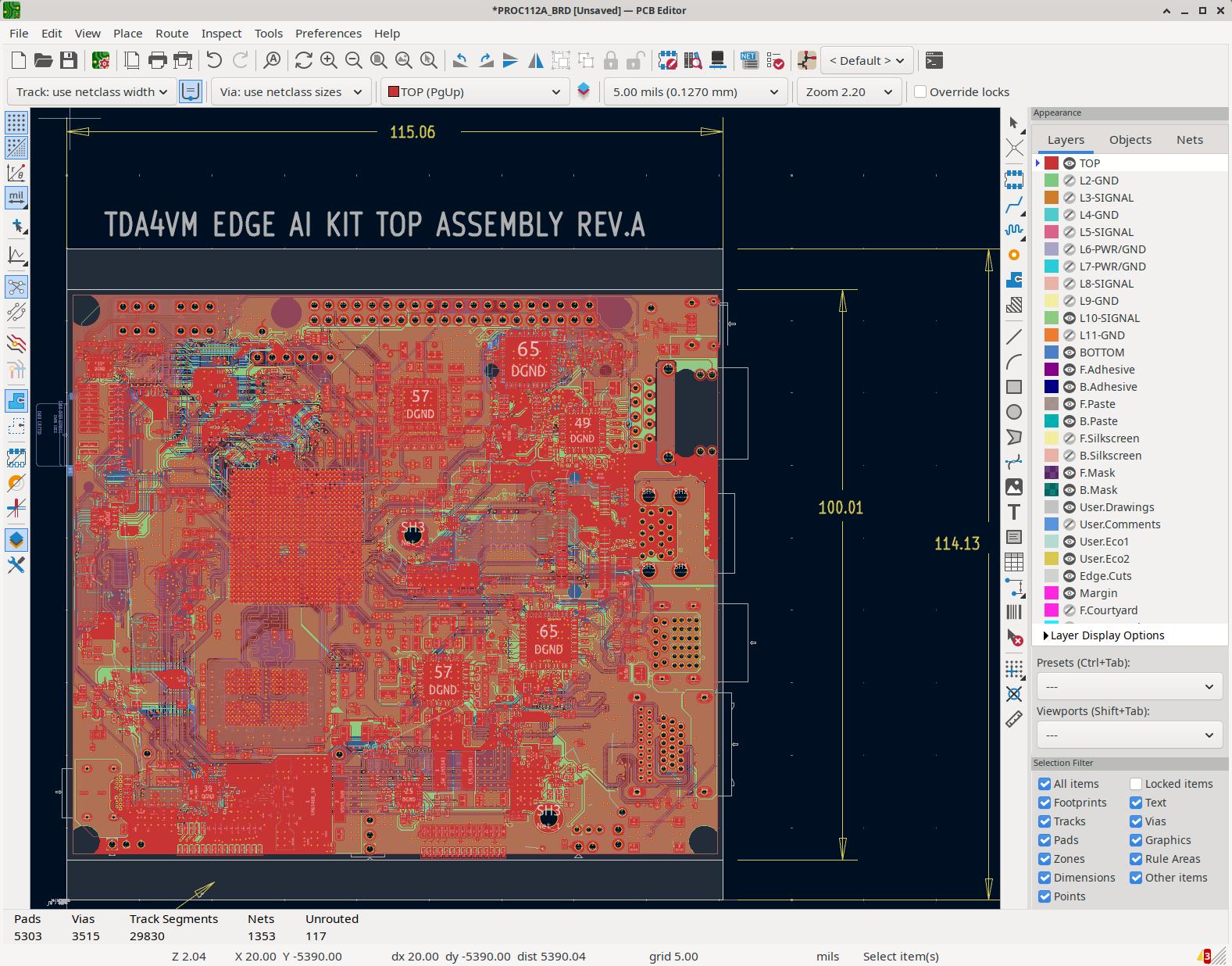
The Allegro importer reads .brd files from versions 16 through 23. This is a board-only importer (no schematic support — yet).
Allegro uses a proprietary binary format that Cadence has never publicly documented. The importer was reverse-engineered from the binary structure without using any Allegro programs or libraries. We had to analyze hundreds of sample files, identify patterns in the binary data, and map those patterns to Allegro’s documented features and gerber outputs. This work was generously supported by Quilter and the KiCad community.
The process of fully blind reverse engineering means figuring out linked-list block layouts, hash maps, and version-conditional fields across seven major releases. Footprints import with reference designators, values, positions, rotation, and layer assignments. Supported pad shapes include circles, squares, rectangles, oblongs, rounded rectangles, chamfered rectangles, octagons, and custom polygons. Drill diameters and thermal relief parameters are preserved.
Tracks, arcs, and vias keep their widths and net assignments. Copper zones are reconstructed from boundary shapes, standalone copper polygons import directly, and boards from Allegro 17.2+ get their teardrops imported as zone objects.
Allegro’s physical constraint sets are converted to KiCad netclasses with clearance rules, trace width constraints, and differential pair gap parameters. Per-net trace width overrides carry over too.
Board outlines, keepout areas, silkscreen graphics, assembly graphics, courtyard boundaries, and text objects all import with their original positions and font metrics.
Mentor PADS
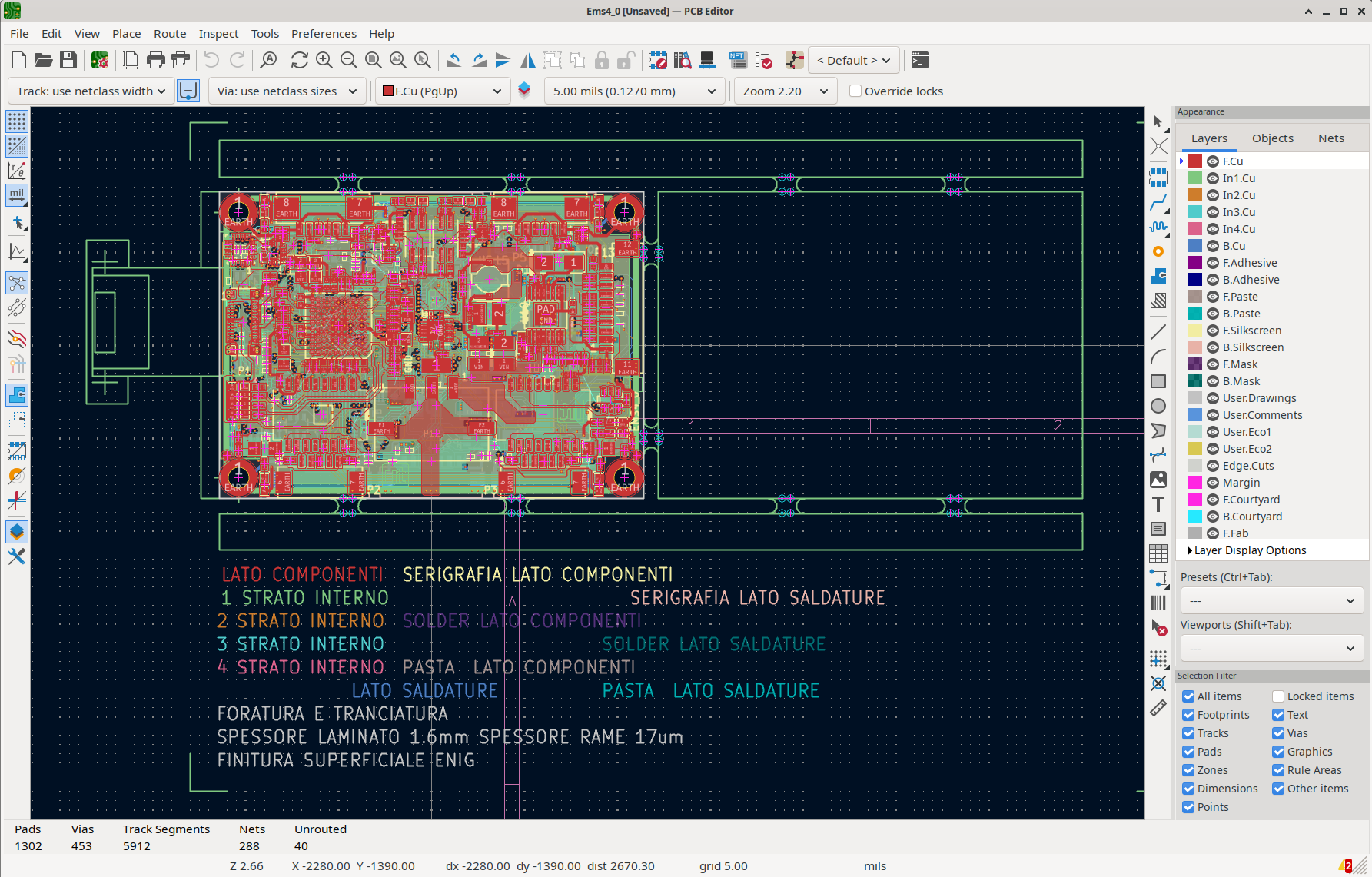
The PADS importer reads .asc ASCII export files and handles both schematics and boards, making it the broadest of the three new importers.
Schematic import
PADS schematics import with symbols, wire segments, junction dots, net labels, and connectivity. Multi-unit symbols from multi-gate part types are reconstructed, and power and ground symbols map to their KiCad standard library equivalents. Hierarchical multi-sheet structures are preserved, and title block information is pulled from the FIELDS section.
Pin types translate directly: passive, input, output, bidirectional, tristate, open collector, open emitter, and power. Text annotations keep their height, width, justification, and rotation. Graphic primitives (lines, rectangles, circles, arcs) retain their fill and line styles.
PCB import
Footprints import with reference designators, values, positions, rotation, and layer placement. Pad shapes include circles, rectangles, ovals, rounded rectangles, and thermals. Drill definitions cover plated and non-plated holes, slotted holes, and per-layer dimensions.
Tracks, arcs, and all via types (through-hole, blind, buried, and microvias) import with width and net assignments. Copper zones keep their priority ordering, thermal relief settings, and net assignment. Keepout areas for routing, vias, copper, and component placement are handled.
Board outlines (with arc support), text annotations, dimension lines, graphic elements, test point definitions, and reuse blocks are all imported. Reuse blocks become KiCad groups. Design rules for clearances, track widths, via sizes, hole spacing, and mask expansions are extracted and applied to the board settings. Differential pairs are converted to DRC rules in the .kicad_dru file.
gEDA / Lepton EDA
The gEDA importer covers schematics (.sch), boards (.pcb), and footprint libraries (.fp). It is the only one of the three that supports library browsing.
Schematic import
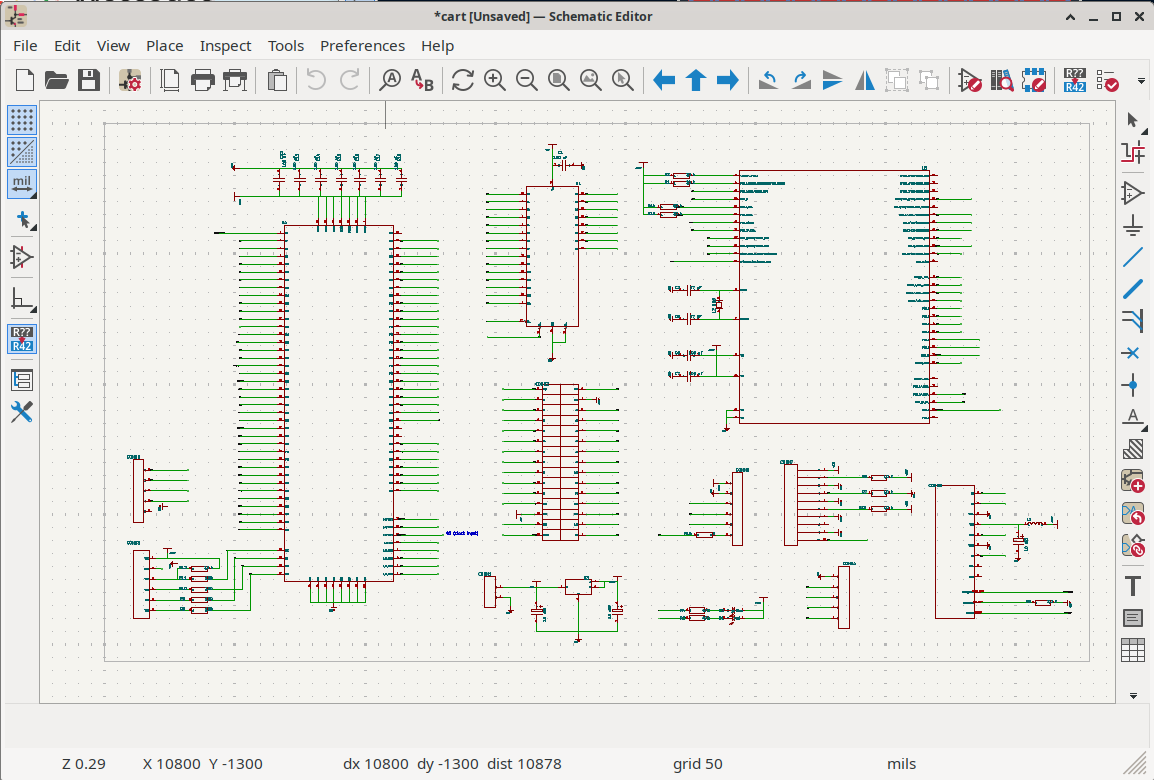
Component graphics are reconstructed from .sym symbol files, including lines, boxes, circles, arcs, and paths. Pin types (input, output, bidirectional, open collector, open emitter, passive, tristate, power, no-connect) map to KiCad equivalents. Net wires import with automatic junction placement at three-way and greater intersections, and bus segments generate proper bus entries.
Hierarchical sub-schematics work through the source= attribute, with recursive loading and loop detection. Multi-slot components are reconstructed using the numslots, slot, and slotdef attributes. Power symbols are identified from the net= attribute, and gEDA’s overbar notation (_text\_) converts to KiCad’s ~{text} format. A built-in symbol library provides fallback symbols for common parts like resistors, capacitors, diodes, transistors, logic gates, and op-amps when the original .sym files are not available.
PCB import
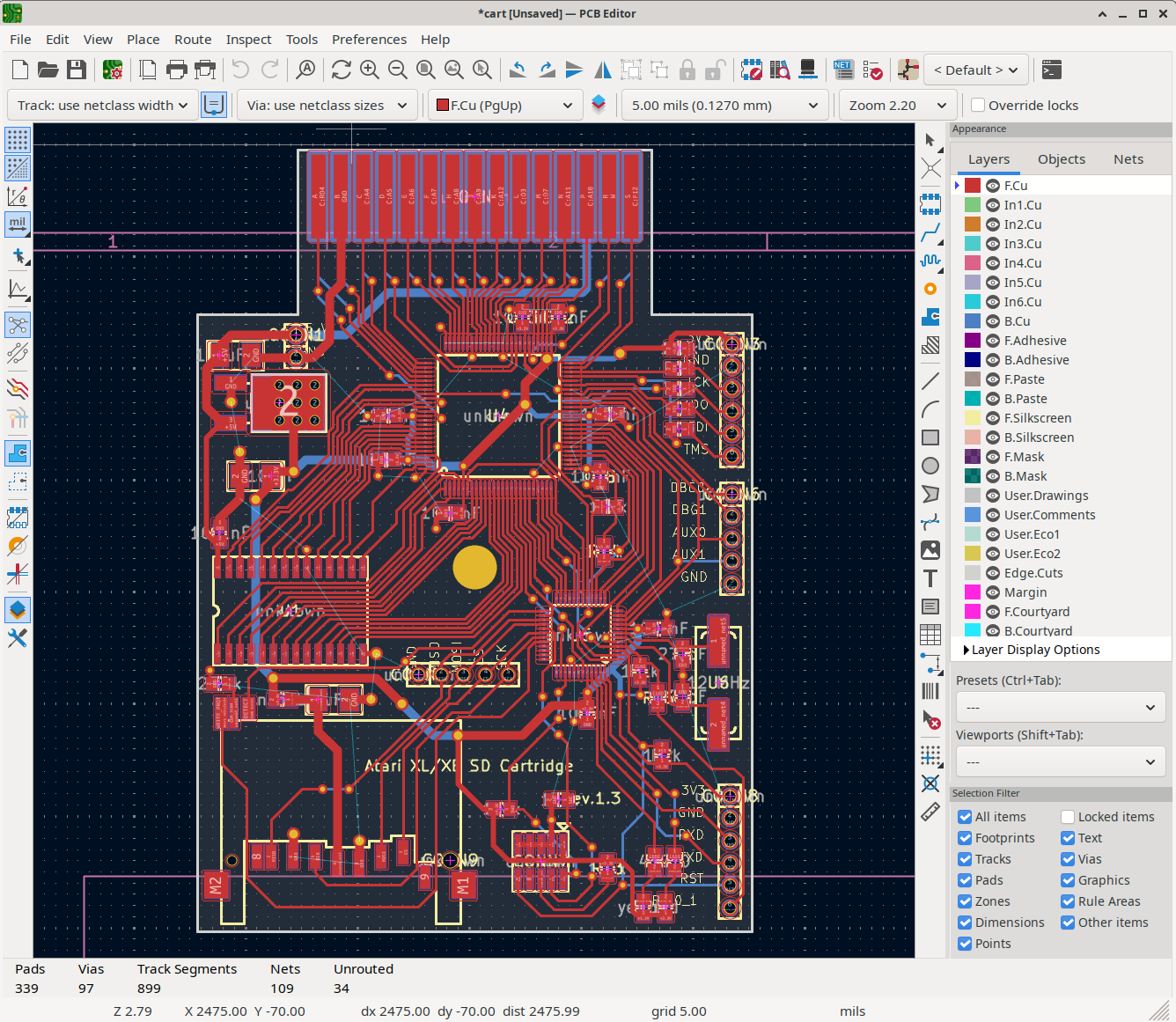
Footprints import with through-hole pins (circle or square shapes) and surface-mount pads (rectangle, oval, circle) on front or back layers. Pad clearance and solder mask margins are converted. Copper traces, arcs, and polygons import on all layers, along with through-hole vias. Net connectivity is reconstructed from the NetList block, and the importer handles multi-layer copper configurations up to 16 layers.
Footprint library browsing
The gEDA importer can also browse footprint libraries directly. Individual .fp files from directory-based libraries load with pin and pad definitions, shape and clearance parameters, and silkscreen graphics.
How to use them
All three importers are available through KiCad’s File menu. Open a new or existing project, select the import option for your format, and point KiCad at your source files. Coordinate system conversions, layer mapping, and unit translation are handled automatically.
Reporting issues
While we’ve tested these importers on a wide range of files, there may be edge cases or specific features that don’t translate perfectly. If you encounter any problems, please report them on our GitLab issue tracker with sample files and details about the issue. Your feedback helps us improve the importers for everyone!
Looking ahead
If you would like to support further development of these importers or additional formats, including adding schematic support for Allegro and expanding library browsing capabilities, please consider donating to the KiCad project. Your contributions help fund the reverse engineering and development work that makes features like these possible.
See Also
2025 End of Year Fund Drive: The Year We Lost Count
2026-01-12
We tried to count the new features in KiCad 10. We gave up. Somewhere between "lasso selection tool" and "45° full-screen crosshairs," someone on the team stopped tallying and just started giggling. Dark mode on Windows? Native rounded rectangles? Undo/redo inside dialog boxes? Variant support? The list kept going. What Your Donations Built KiCad 10 lands next month, and we need to talk about what’s in it. Not the polite corporate summary—the real list.
KiCad Conference Asia 2025 Announcement
2025-09-14
The KiCad project is excited to announce the third annual Asian KiCad Conference (KiCon) in Shenzhen, China November 14th through the 15th, 2025. The conference will be held at the Atour Hotel (Shenzhen Nanshan Vanke Yuncheng),Nanshan District,Shenzhen,Guangdong. On line registration ends November 1st. This conference is geared towards KiCad users. There will be talks and workshops from users of all skill levels as well as members of the KiCad Lead Development Team.